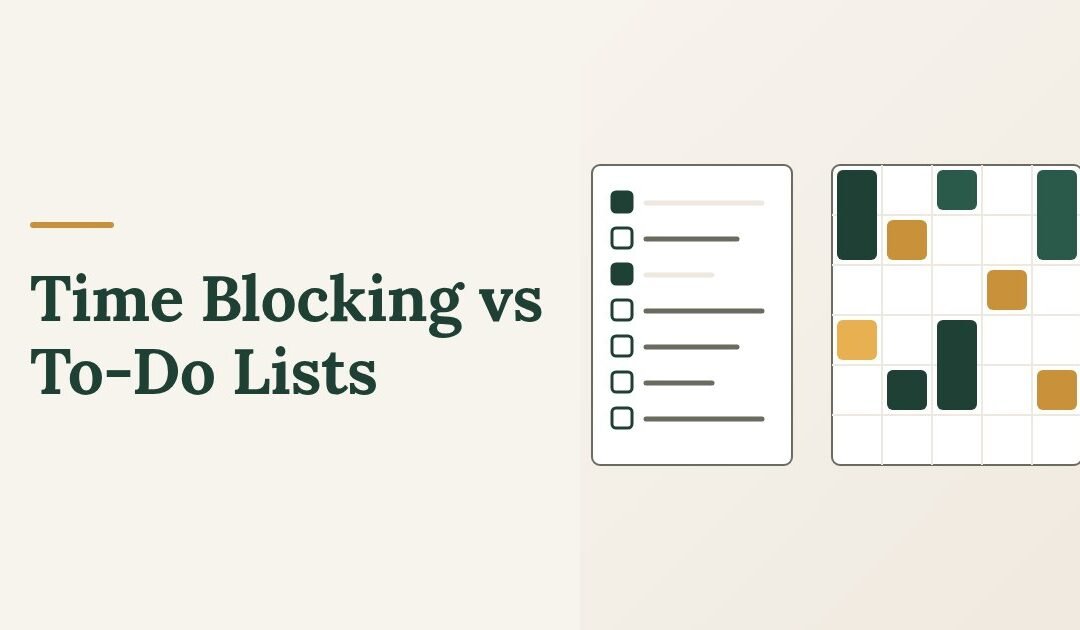
Time blocking vs to-do lists is not really a choice between two systems. A to-do list answers what needs doing; time blocking answers when it will happen. If your problem is forgetting commitments, a list fixes it. If your problem is a list that never gets shorter, blocking is what you are missing.
Most people who feel disorganized already keep a list. The list is not the failure. The failure is that nothing on it has a time attached, so it competes with every arriving request and loses. Below is what each method actually does, when each one is the wrong tool, and how to combine them without building something you abandon in a week.
Time Blocking vs To-Do Lists: What Each One Fixes
The two methods solve different problems, so it helps to be clear about which problem you have.
What a To-Do List Does Well
A list is a capture tool. Its job is to get commitments out of your head and into a place you trust, which is genuinely valuable: unrecorded tasks consume attention continuously because part of your mind stays occupied holding them.
Lists are fast, flexible and require no planning. They work well when your day is mostly reactive, when tasks are short, and when the volume is manageable.
Where they break down is prioritization under load. A list of forty items gives you no information about what is possible today. Faced with that, most people pick the easiest items, which is why lists tend to accumulate the important work at the bottom indefinitely.
What Time Blocking Does Well
Time blocking means assigning specific work to specific windows on a calendar. Not "write the report" on a list, but "9:00 to 10:30, write the report" on Tuesday.
It fixes three things a list cannot. It forces you to confront how much time you actually have, which is almost always less than your list assumes. It gives important work a defended slot rather than leaving it to compete with whatever arrives. And it removes the daily decision about what to do next, which is a larger drain than it looks.
Where it breaks down is in unpredictable days. If your work is genuinely interrupt-driven, a fully blocked calendar will be wrong by ten in the morning, and a schedule you are constantly failing stops being useful.
Time Blocking vs To-Do Lists: Direct Comparison
| To-do list | Time blocking | |
|---|---|---|
| Main question answered | What needs doing? | When will it happen? |
| Best for | Capturing commitments, reactive days, short tasks | Protecting important work, deep tasks, overcommitted weeks |
| Main failure mode | Grows forever; important work sinks | Collapses when the day goes off plan |
| Setup cost | Almost none | 15-20 minutes a week |
| Shows you capacity | No | Yes |
| Handles interruptions | Well | Poorly, unless you build in slack |
| Tells you what to do now | No | Yes |
The honest answer to the comparison is that most people need both, in a specific relationship: the list holds everything, the calendar holds what you have committed to doing this week. One is inventory, one is schedule.
How to Combine Them Without Overbuilding
This takes about twenty minutes a week and five minutes a day.
- Keep one list, in one place. Everything goes here. One list you trust beats three systems you half-maintain.
- Once a week, pick what matters. Look at the list and choose the three to five things that actually need to happen this week. Not everything that could.
- Block only those. Put the chosen items on the calendar with real start and end times, placing the hardest work in the hours you tend to be most capable.
- Block half the day, not all of it. This is the step people skip and the reason most blocked calendars fail. Leave genuine open space for the work you cannot predict.
- Each evening, check tomorrow. Five minutes. Does tomorrow’s plan still make sense? Move what no longer fits instead of leaving a wrong schedule in place.
- Review on a fixed day. Which blocks held and which did not? Blocks that consistently fail are telling you something about your estimates or your schedule, not about your discipline.
Why Most Blocked Schedules Collapse
Four causes, in order of frequency.
Too optimistic. You blocked seven hours of focused work into an eight-hour day with meetings in it. The schedule was wrong before the day started. Block less than feels right; most people need their estimates roughly doubled before they become accurate.
No slack. With back-to-back blocks, one overrun breaks everything after it. Leave gaps between blocks on purpose. They absorb overruns and give you somewhere to put the unexpected.
Blocks too vague. "Project work, 2 to 4" is a list item with a time next to it. When the block begins you still have to decide what to do, and deciding is where the time goes. Name the specific output.
Treating a missed block as failure. A block you miss is information, not a verdict. Move it, note why, and look for the pattern at your weekly review.
Which One Should You Use?
The answer depends on the shape of your week rather than on which method is better in the abstract.
When a List Alone Is Enough
Blocking is not a universal upgrade. Stay with a list if your days are genuinely unpredictable, if most of your work is short tasks rather than long ones, or if you have very few competing demands and can simply work down the list.
In those cases, improve the list instead. Three changes do most of the work: keep one list rather than several, mark no more than three items as today’s priorities, and clear out items you are never going to do. A list you have pruned is far more useful than one you have organized.
When Blocking Becomes Necessary
Four signals suggest the list has stopped being enough.
The same important task has moved forward for more than two weeks. It is not being deprioritised deliberately; it simply never wins against what is in front of you. It needs a slot.
You end most days busy but unable to name what you finished. That usually means the day was spent on whatever arrived rather than on anything chosen.
You regularly agree to things you do not have time for. A calendar makes commitment visible in a way a list cannot. You can see that Tuesday is full; you cannot see that a list is full.
Your work has long tasks in it. Anything needing more than ninety uninterrupted minutes will not happen by accident, because uninterrupted ninety-minute stretches do not appear on their own.
A Realistic First Week
Do not block your whole week. Block one thing.
Pick the single most important task on your list, put it on the calendar for tomorrow morning with a specific output and a specific end time, and protect it. Do that every day for a week. One block a day, kept, teaches you more about your real capacity than a fully planned week you abandon on Wednesday.
At the end of the week, count how many blocks held. If it is four or five, add a second daily block. If it is one or two, the problem is probably block size or placement rather than commitment, so make them shorter and move them earlier.
The Short Answer
Use a list to hold everything. Use blocking to protect the few things that matter this week. Keep the list long and the calendar short.
If you want a structured planning routine for the weekly review and the daily five-minute check, the time management programs on this site’s Programs page walk through the full system step by step.